JetBlue Airways Baggage Policy : What to Know
The baggage policy of JetBlue Airways is aimed at making the traveling process easy and stress-free. You need to pack light to take a quick trip or ca...
31 Mar 2026
Read More
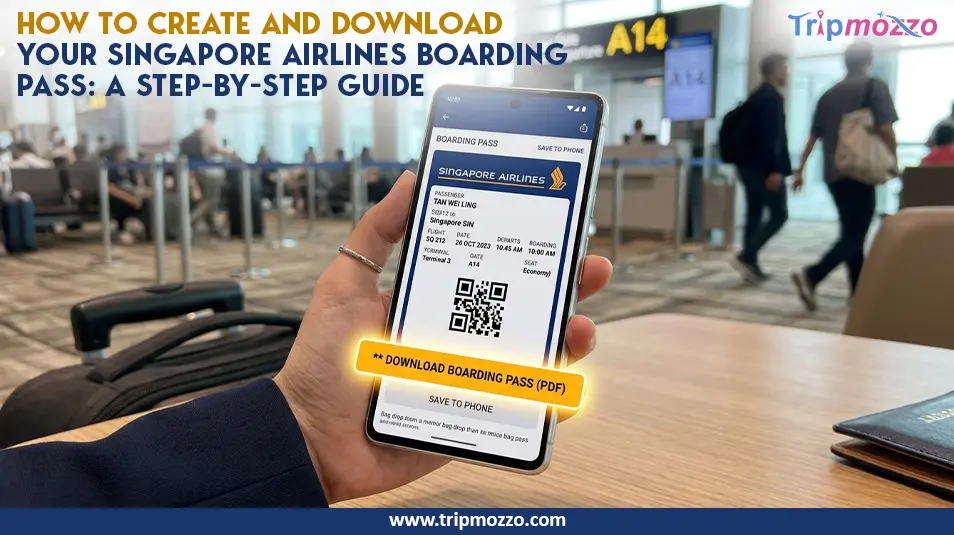
Table Of Content
You have more time to prepare to fly than ever and with the use of digital tools, making a check-in is easier. The Singapore Airlines online check-in boarding pass has assisted its customers to save long queues at the airports besides planning their trips without any hassle. Everyone is in a hurry to board the plane, and knowing how you can create and access your boarding pass would be a nice way to save time and lessen the amount of pre-flight stress you experience.
At Singapore Airlines, there is an easy check in time which opens just 48 hours before you are set to take off. This provides travelers with plenty of time to verify their information, book seats and get their boarding passes beforehand.
Early check-in is particularly useful at a high travel season when there may be a long line at the airport counters. This is because by checking in early you can reserve a preferable seating and you can also be assured all your travel details are correct.
Also, the early check-in eliminates the technical issues or delays that can result in last-minute check-in. When you are done, just head straight to the security in case you are just carrying cabin baggage.
You will need the following information before commencing the check-in process:
This information is what you are going to need to access your booking and check-in. Without them, you may not have a need to retrieve your reservation.
Pre-checking baggage limits and traveling restraints is also advisable. This will guarantee them a seamless experience and prevent any shock at the airport.
If you have lost your PNR or can't access your booking, reach out to airlines customer service to retrieve your itinerary immediately.
In order to check-in online and create a boarding pass, you will have to do the following steps:
When this is completed, you can download Singapore Airlines mobile boarding pass to your device, or email it.
Always ensure that all passenger information is re-examined, prior to final confirmation, as any mistakes would result in problems during the boarding process.
While checking in, you can often pick your seat for free in Economy. See our Singapore Airlines seat selection guide for the best cabin tips.
One of the key innovations in travel technology has been Changi Digital Path, which was launched at Singapore Changi Airport. This system enables customers to move around the airport with biometric authentication rather than with a hardcopy.
In facial recognition, you are identified at several touchpoints such as check-in, immigration, and boarding. This does away with the irritation of swearing your passport or boarding pass multiple times.
This innovation makes the traveling experience smoother and easier, and it is also safer. However, passengers are still encouraged to carry a duplicate of an electronic or printed boarding pass as a spare.
Once you have completed check-in, your boarding pass is available to you in a variety of ways:
Knowing that Singapore Airlines check-in 48 hours before the departure date will make sure you have time to select the delivery method of your choice and eliminate the last minute rush.
Mobile boarding passes are the best alternative, as you can just save your pass and access it anytime without having to print. They are also friendly to the environment since they help to reduce the use of paper.
Although the use of digital version of boarding passes is generally agreed on, there are some cases that a printed version must still be used:
You might actually be required to receive a hardcopy of a boarding pass at the check-in desk. It is always a good idea to find out ahead of time your particular route requirements.
Infants always require a printed pass for document verification. Review the airline infant policy guide for bassinet and stroller rules.
Unless you can use your boarding pass, there are some common problems that you can take into account:
In case the issue still arises, re-enter the device or log into another one. Knowing How to get Singapore Airlines boarding pass on phone can help to solve access problems most of the time.
You may also call a customer care center or visit the airport counter to get any help.
KrisFlyer loyalty program members have additional benefits when boarding through digital boarding passes. These include:
Flight details and loyalty points can also be easily tracked using the digital pass, as well as improving the travel experience.
The more frequent the flyer, the better, since waits are minimized and the airport process is optimized.
KrisFlyer members can also use miles for last-minute upgrades. Learn more in our airlines seat upgrade guide.
In case you cannot find your boarding pass, you need not worry. Some of the steps you can take are as follows:
The quickest way to be helped is to have airport staff reissue your boarding pass after confirming yourself.
It is always a good idea to be at the airport early especially when you anticipate that anything will go wrong with your reservation or paperwork.
Digital innovations and convenient systems have made controlling your boarding pass as easy as it has never been before. With online check-in, mobile boarding passes and advances such as biometric verification, you will be able to improve your travel experience drastically.
Regardless of whether you travel a lot or are headed on your first trip, these steps will help you to have an easy and stress-free experience during your check-in to boarding process. Check yourself, check-in early, and have back-up plans to prevent any inconvenience at the airport.
All Categories
Looking for detailed information on airline policies, terms & conditions, and more?
Call now to get complete guidance.
+1-888-933-0080Recent Blogs